A dashboard full of issues isn't the same as a dashboard full of problems.
When you're running dozens of integrations and processing hundreds of thousands of orders a month, plenty of what lands in front of you is noise: a known quirk you've already clocked, a one-off that fixed itself, an alert for something you decided weeks ago you didn't need to see. The signal is in there. It just gets harder to find with every issue you scroll past.
So the Control Panel's job isn't to show you everything. It's to show you what needs you, and keep the rest from getting in the way.
Our recent updates to the Control Panel were design with this in mind. Together they do one thing: make what you see something you can trust and act on, without second-guessing it.
Mute the issues you've already dealt with
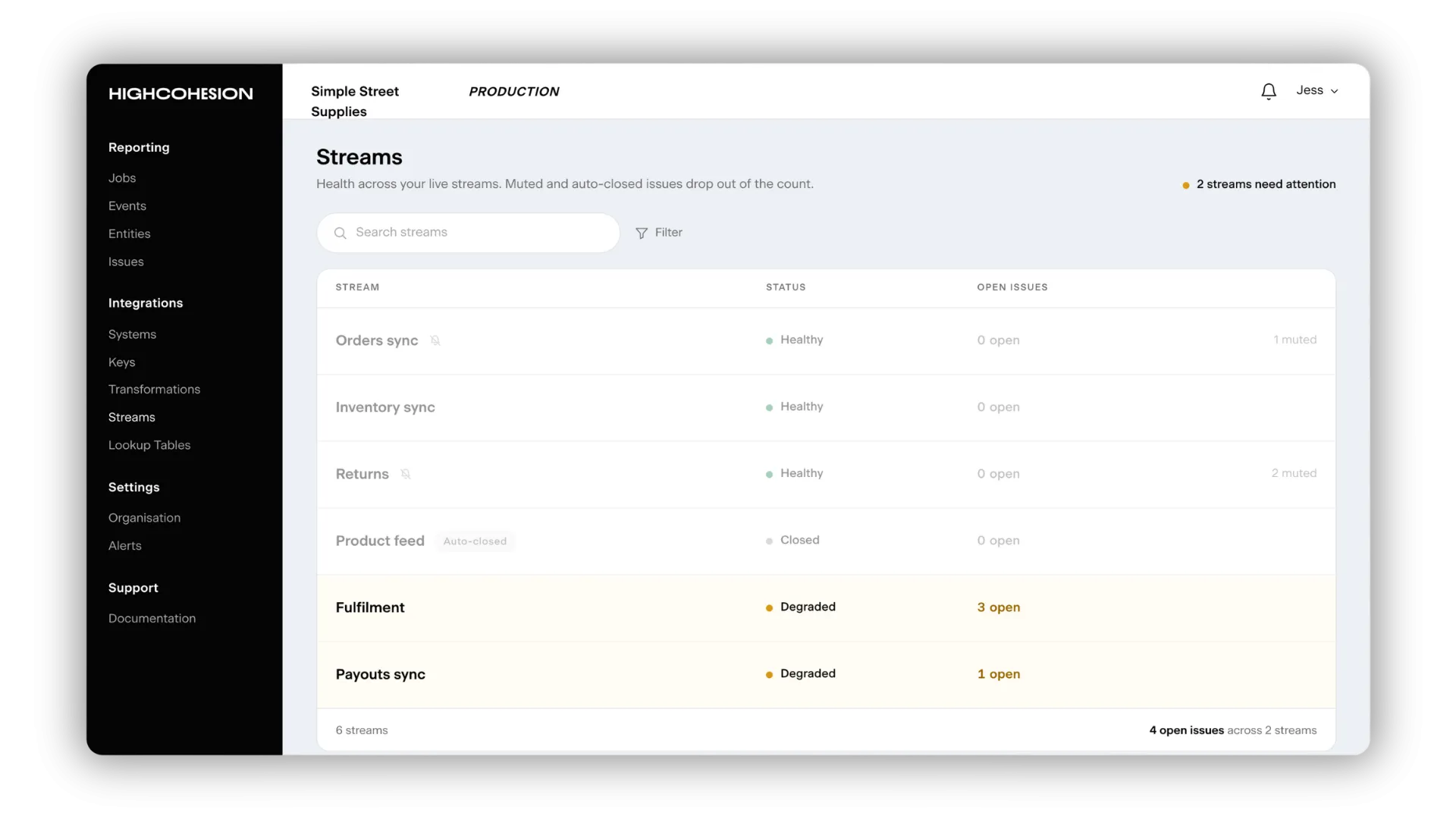
Not every issue deserves an alert. Some you've already seen, judged, and set aside - a known quirk, a one-off, something you've decided isn't worth a ping every time it resurfaces.
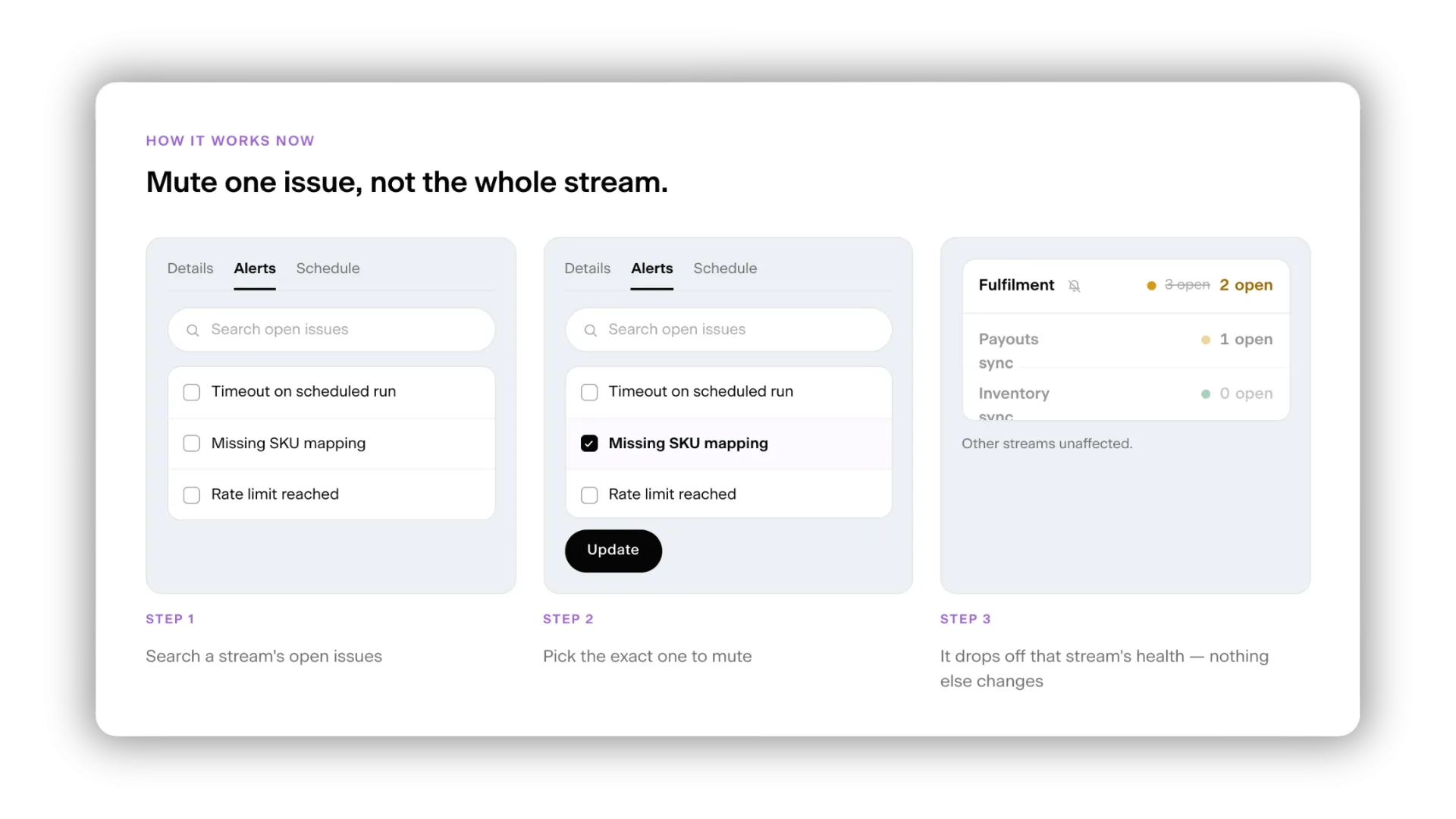
Now you can be even more precise with which issues you silence. Open the Alert tab on an integration's edit page, search its open issues, and mute the specific one you don't want dragging down that integration's health or pinging your team. Everything else keeps reporting as normal.
Before, you muted by message, so anything that looked similar could be silenced along with it. Now you choose the exact issue, and only that issue goes quiet. The muted-issue icon on your integration list has kept pace too: it now flags integrations where you've muted a single issue, not just the ones you've silenced entirely. Nothing goes quiet without you knowing.
Stale issues clear themselves
Muting is you clearing noise on purpose. This is the Control Panel clearing it for you.
Some issues get raised but never actually cause a problem. Left there, they pile up and make the live problems harder to spot. Now, anything with no activity for 60 days closes itself - so what's left on the issues page is what's actually current.
See who changed what
Sometimes a setting changes and no one's quite sure why.
Before, getting to the bottom of it meant asking around the team and hoping someone remembered. Now the new Actions page logs it for you: every change your team makes - a user added, a transformation edited, an integration created - with who did it, and when. If something looks off, you go straight to the person who made the change. A clear trail, open to everyone on your team.
Trust what you're looking at
At scale, what's valuable isn't more information. It's information you can trust.
A Control Panel that shows you what requires your attention, clears away what doesn't, and tells you plainly what's changed is one you can act on at a glance - no second-guessing.
Juan Pedro Gómez Samblás
Director of Engineering at HighCohesion
Experience it for yourself
These updates are live in the Control Panel now. If you're a HighCohesion customer, sign in and take a look - and tell us what you think, because your feedback shapes what we build next.
Not a customer yet but weighing up your integration setup? This is what we mean when we say a platform should tell you the truth about what's working. Let's talk.