Take control of your alerts: self-serve configuration in the Control Panel
July 2026
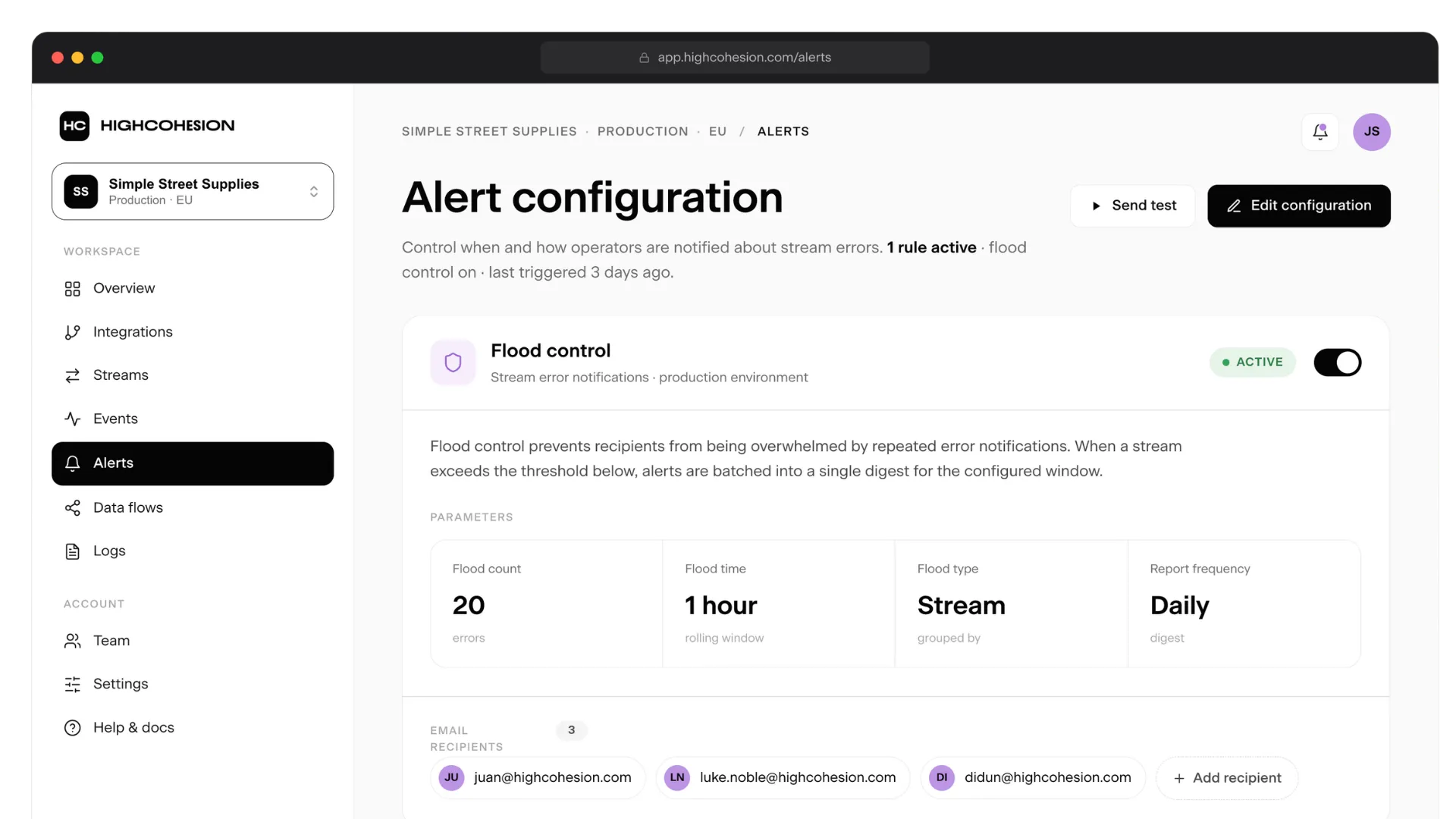
The new self-serve alerts configuration in the Control Panel
An alert is only useful if it tells you what you need to act on.
When every issue on every stream triggers a notification, the ones that matter get buried amongst the ones that don't. And when changing who gets notified means raising a support ticket and waiting on us, you're not really in control of your own alerts at all.
So we changed that. We want clients to have more control over their own notifications, and less reliance on our support team to make those changes for them.
You can now configure your own alert notifications directly in the HighCohesion Control Panel - who gets them, how often, and which issues are worth flagging in the first place.
Where it started
Alerts have been on the wishlist since the early days of HighCohesion.
Customers were regularly asking us to add or remove people from alert lists, check whether emails were set up correctly, or quiet down a specific stream. None of that was a good use of anyone's time - yours or ours.
The stream-level filtering came from a different place (a stream is just a single integration - the connection moving one kind of data, like orders or inventory, between two systems). It started as an internal tool that let our engineers mute streams while testing, or while a known issue was being worked through. It didn't take long to realise customers would want exactly the same thing.
The old way: tickets and noise
Until now, managing alerts meant going through us.
Need to add a colleague to the email list? Raise a ticket. Someone left the team and shouldn't be getting notifications anymore? Raise a ticket. And there was no easy way to see how things were currently configured in the first place.
On top of that, alerts came through for every issue on every stream, with no way to filter or silence them. That included known exceptions that didn't need anyone's attention, and the noise of your own testing and development phases. The alerts that genuinely mattered had to compete with the ones that didn't.
The new way: self-serve configuration
The new self-serve configuration works at two levels.
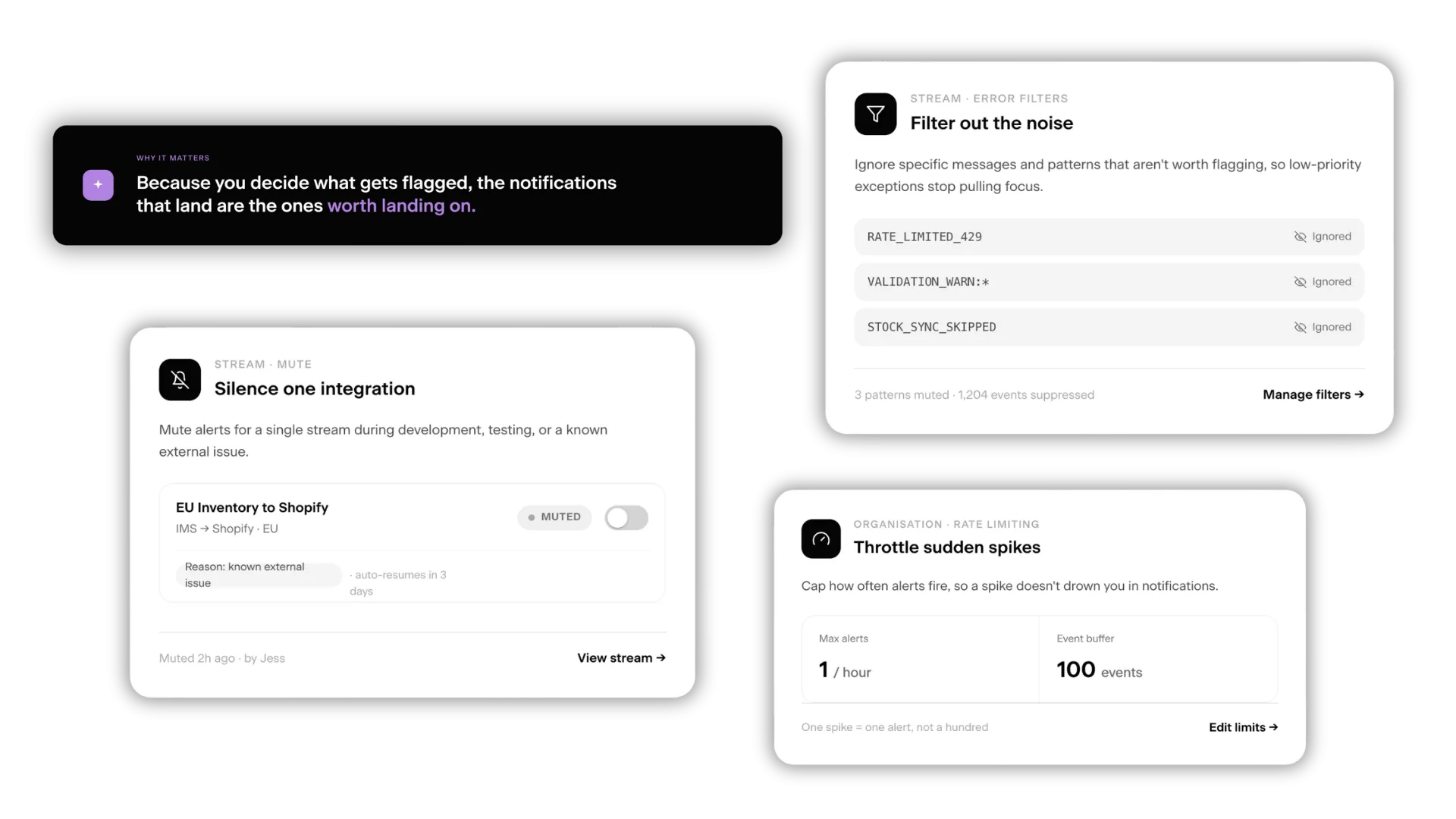
At the organisation level, you can manage your own alerts without going through support. Add or remove email recipients yourself. Toggle alerts on or off for the whole account. And set rate limiting (for example, one alert per hour with a buffer of 100 events) so a sudden spike doesn't drown you in notifications.
At the stream level, you get finer control over individual integrations. Silence all alerts for a specific integration, which is useful during development, testing, or while you're waiting on a known external issue to be resolved. Or filter out specific error messages and patterns that aren't worth flagging, so common low-priority exceptions stop pulling focus from the issues that actually affect your data.
What this means in practice
The alerts you receive start carrying weight again.
You spend less time going back and forth with support over admin, and more time acting on the things that matter. Testing and development phases become more manageable without alert spam. And because you decide what gets flagged, you know the notifications that come through are the ones that matter.
This pairs nicely with our other recent update: the Status and Issues view. Where that view shows you what's happening across your integrations, alerts configuration controls what gets flagged in the first place - two halves of the same picture.
Want to see it in action?
Self-serve alerts configuration is live in the Control Panel.
If you're a HighCohesion customer, log in and set it up the way that works for your team - and tell us what you think. Your feedback shapes what we build next.
If you're not a customer yet but you're curious about what it looks like to actually control your own integration alerts, get in touch.