A new way to monitor integration health
By Juan Pedro Gomez Samblas | 1 June 2026
Introducing the Status & Issues view in the Control Panel
Failed events tell you something has gone wrong. They don't tell you how much of a problem you actually have.
Is it 50 different issues across 50 events? Or one root cause showing up 50 times?
Until now, finding that out meant clicking into individual events, downloading data, and piecing the picture together manually. So we built something better.
Say hello to the new Status and Issues view in the HighCohesion Control Panel.
An internal tool that was too good not to share
Originally, this updated started out as an internal tool for our own engineers. With 600+ integrations running across the platform, our team had been thinking about how to get a sharper, higher-level view of integration health - something that worked at scale and made it easier to focus on what mattered most.
After building an early version for ourselves, it quickly became clear that the same view would be genuinely useful for our customers too.
The old way: one failed event at a time
Until now, troubleshooting in the Control Panel was event-led. An email alert would let you know about a failed event, and you'd click through to see the error message and work out a fix.
That approach works well when you're managing a handful of integrations. But as brands scale and the number of events grows into the thousands, a single-event view becomes one piece of a much bigger picture.
What was missing was the layer above: a way to see the health of every integration at a glance, group failed events by their underlying cause, and understand whether one issue was affecting 50 events or 50 different things were happening at once.
That's where the new view comes in.
The new view: integration health, at a glance
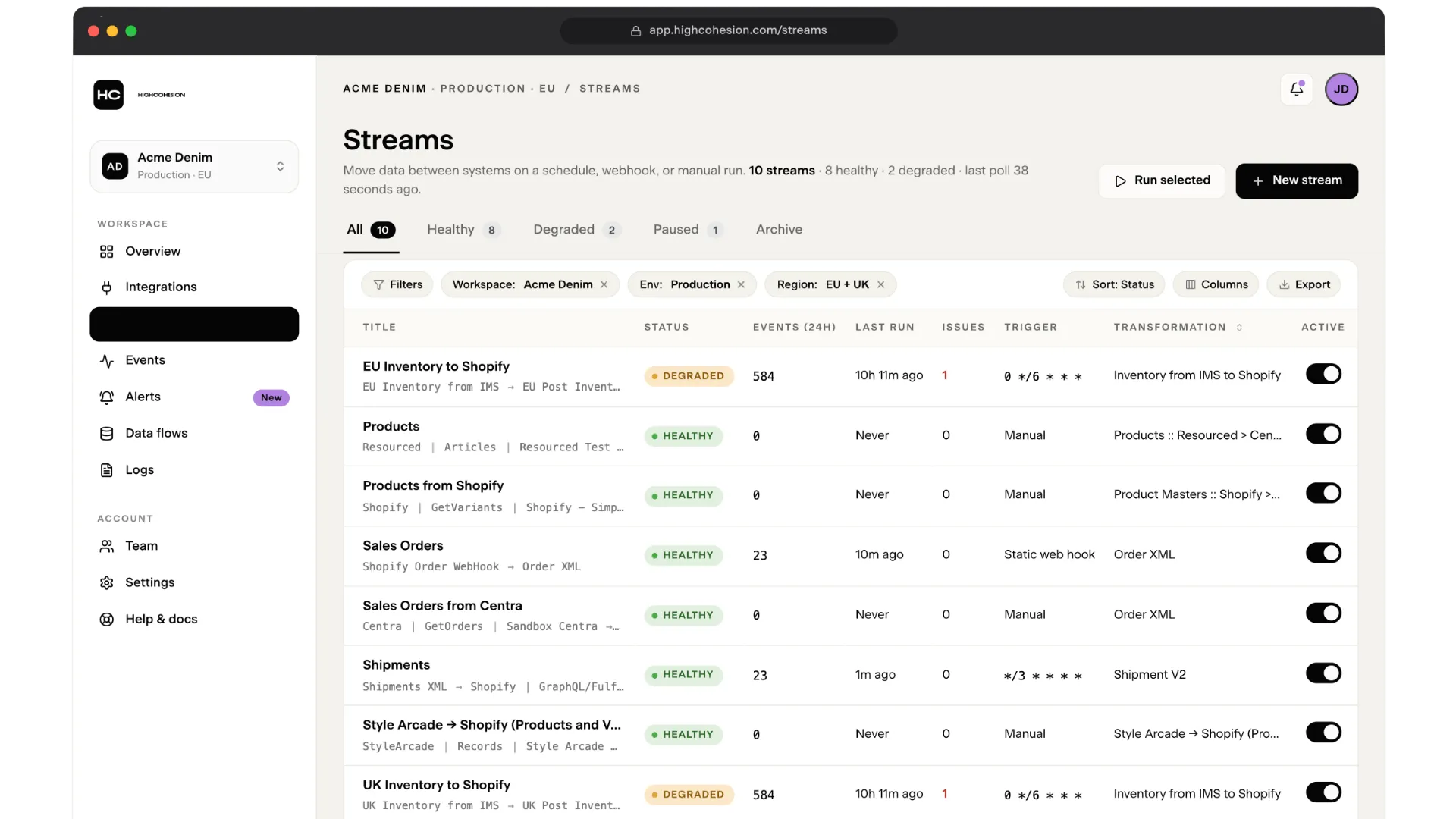
The new Status and Issues view changes the lens entirely.
Instead of showing you every failed transaction, it shows you the health of every integration - and groups the issues behind those failures by root cause.
Here's what's new:
An integration status overview. Each integration is now shown as healthy or degraded, with new columns for open issues, last event in the past 24 hours, last run time, and trigger type (cron, manual, or webhook). You can see at a glance whether something hasn't fired when it should have.
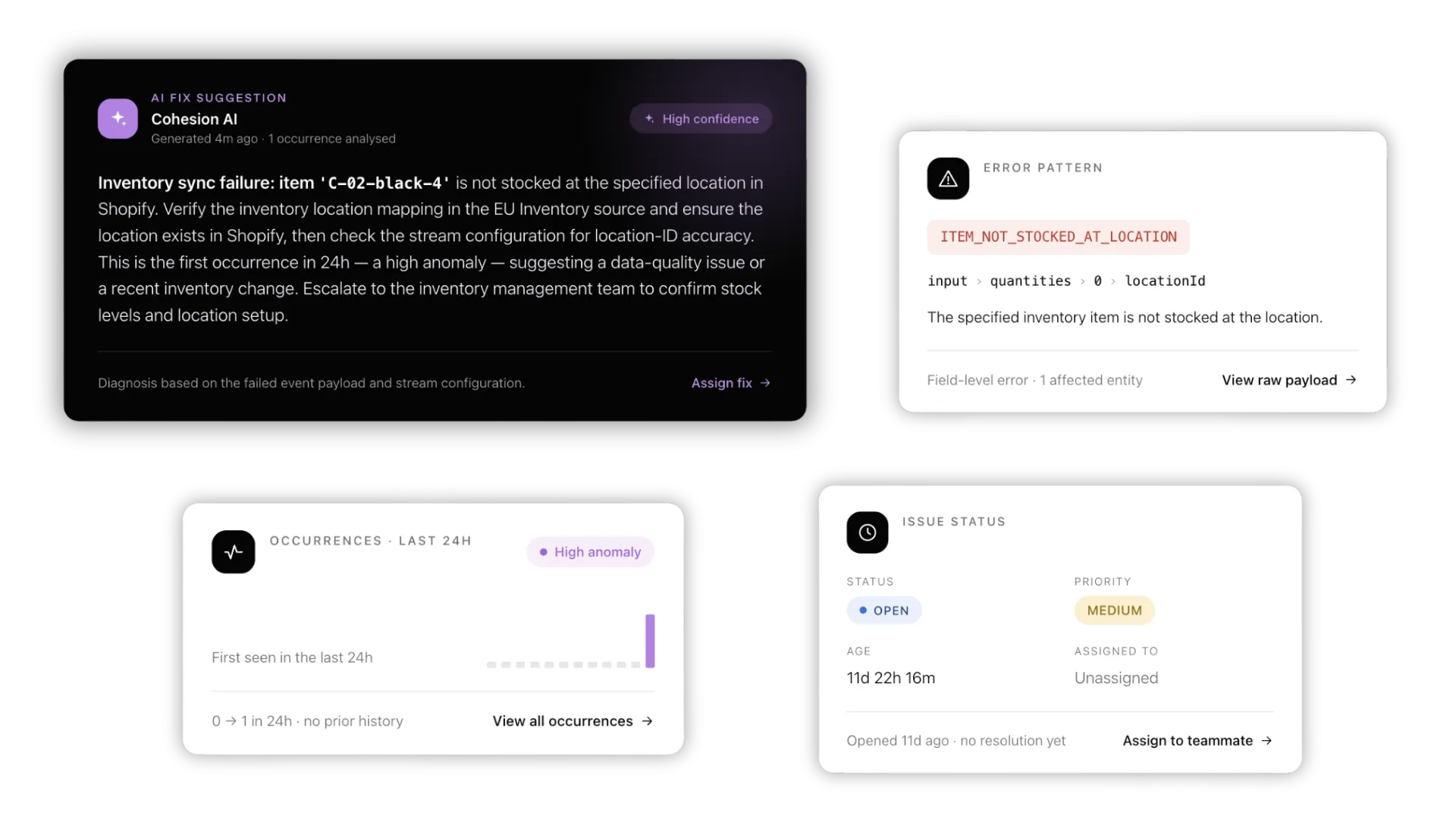
An issues page grouped by root cause. Click into any issue and you'll see exactly how many events it's affecting. One issue, one count, one fix - rather than 50 events that all need addressing individually.
AI-generated fix suggestions. Our LLM draws on previous issue resolutions in the system to suggest fixes for new issues as they arise. The more issues you close with a root cause and fix description, the smarter those suggestions get.
What this means in practice
One fix can now resolve dozens of events instead of dozens of separate fixes.
You stop chasing symptoms and start addressing root causes. The system gets smarter the more you use it. And the team responsible for keeping integrations healthy - whether that's yours, ours, or both - finally has a single view that tells the truth about what's working and what isn't.
Most platforms focus on the integrations themselves. This update brings you closer to reporting on the health of those integrations - and that's a meaningfully different thing.
Experience it for yourself
The Status and Issues view is live in the Control Panel.
If you're a HighCohesion customer, log in and have a look - and tell us what you think. Your feedback shapes what we build next.
If you're not a customer yet but you're curious about what an integration platform that tells you the truth actually looks like, get in touch.